


Emirates Special Meals
You order a special meal on Emirates in Manage Your Booking, on emirates.com or in the Emirates app, at least 24 hours before departure. It’s free in every cabin and takes four steps, shown below with screenshots. To see which meal to choose, check our list of Emirates special meals and their codes.
Before You Start
| What | Details |
|---|---|
| Deadline | At least 24 hours before departure |
| Where | Manage Your Booking on emirates.com or the Emirates app |
| Cost | Free in every cabin |
| Short flights | Some special meals aren’t available in Economy on flights under 2 hours |
| Children and babies | Child and baby meals are added automatically, so you only need to order if they have a specific diet |
How to Order
- 1
Access Your Booking
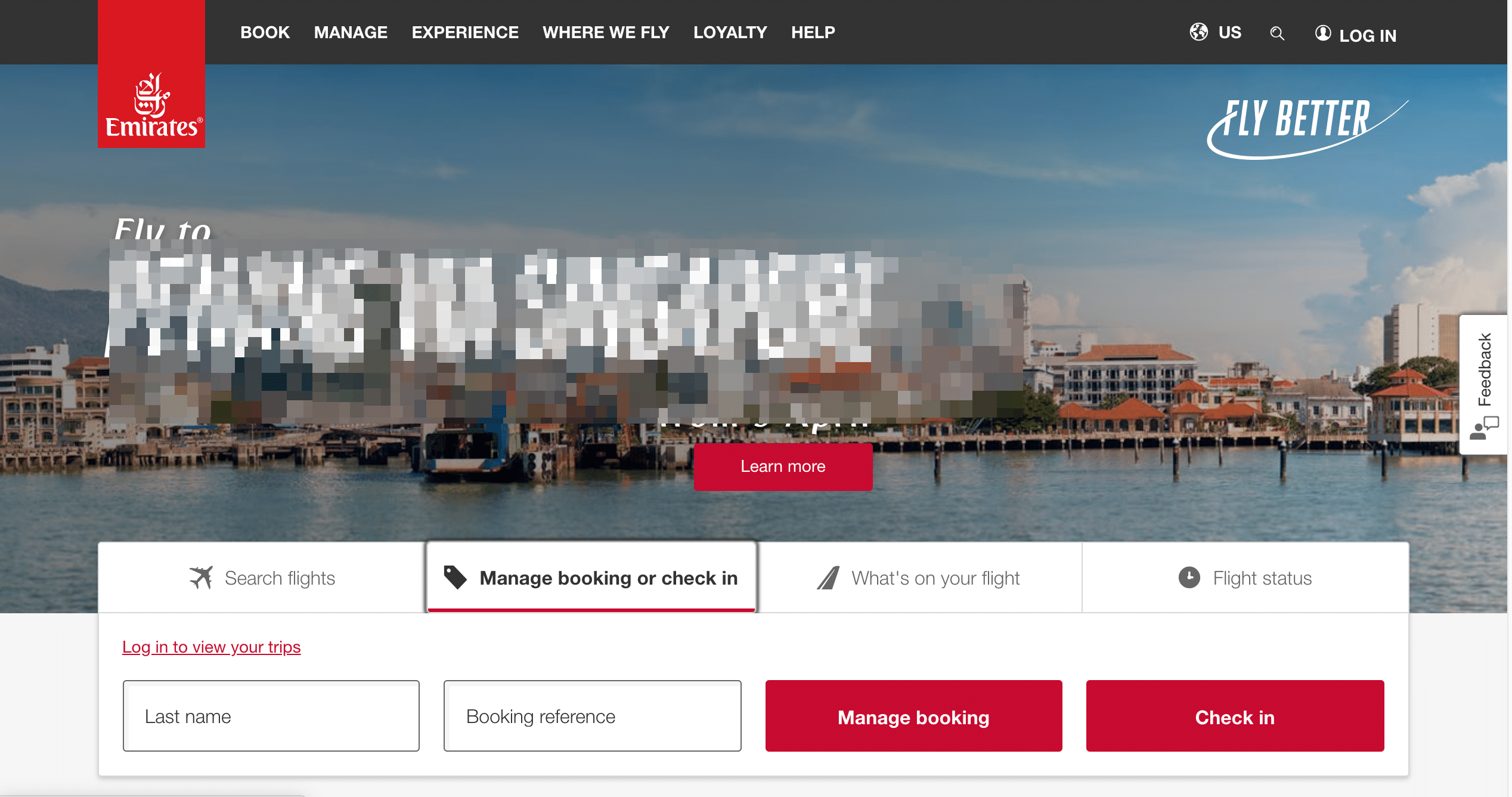
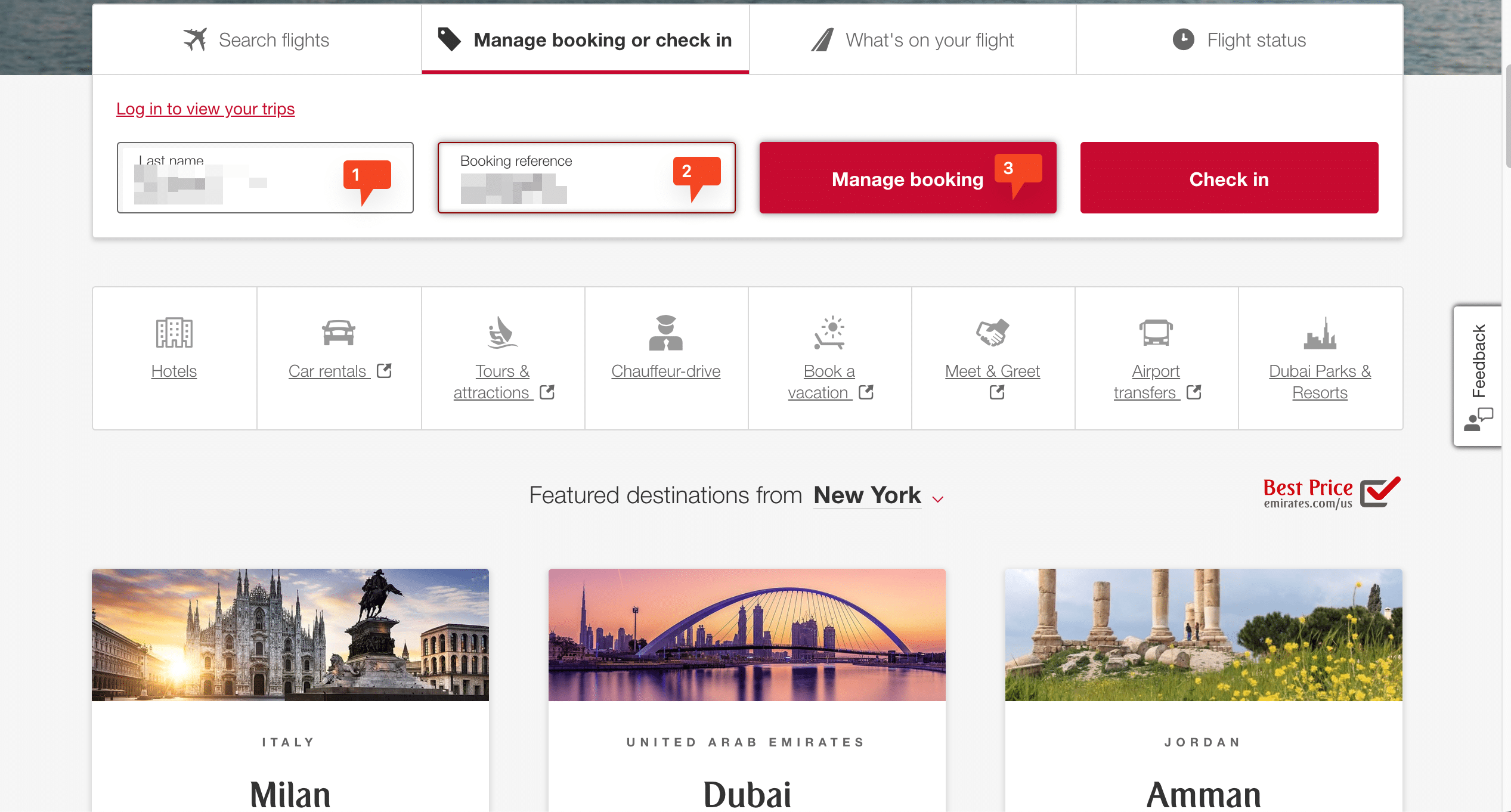
Go to emirates.com or the Emirates app and choose Manage Your Booking. Enter your booking reference and last name to open your trip.

- 2
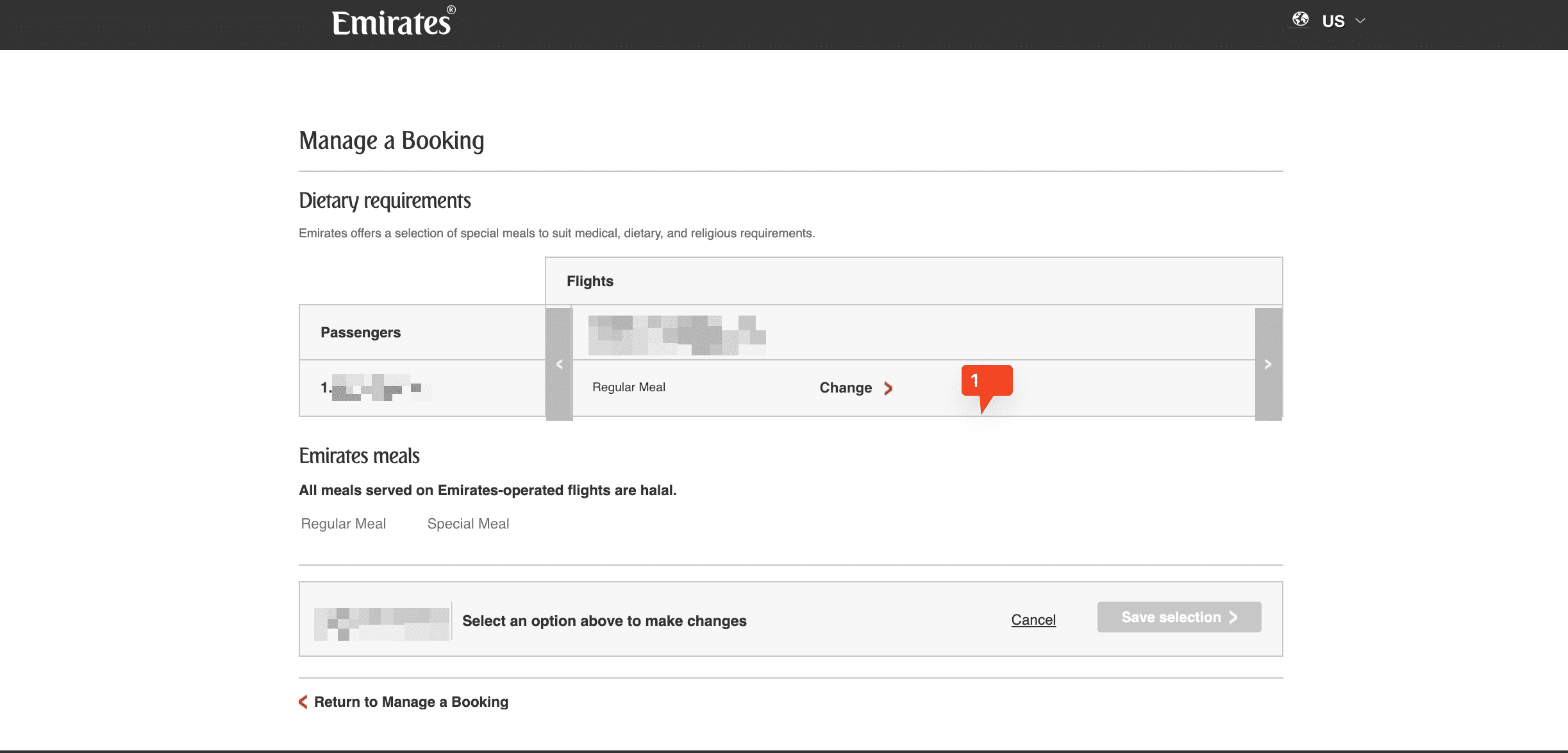
Find Dietary Requirements
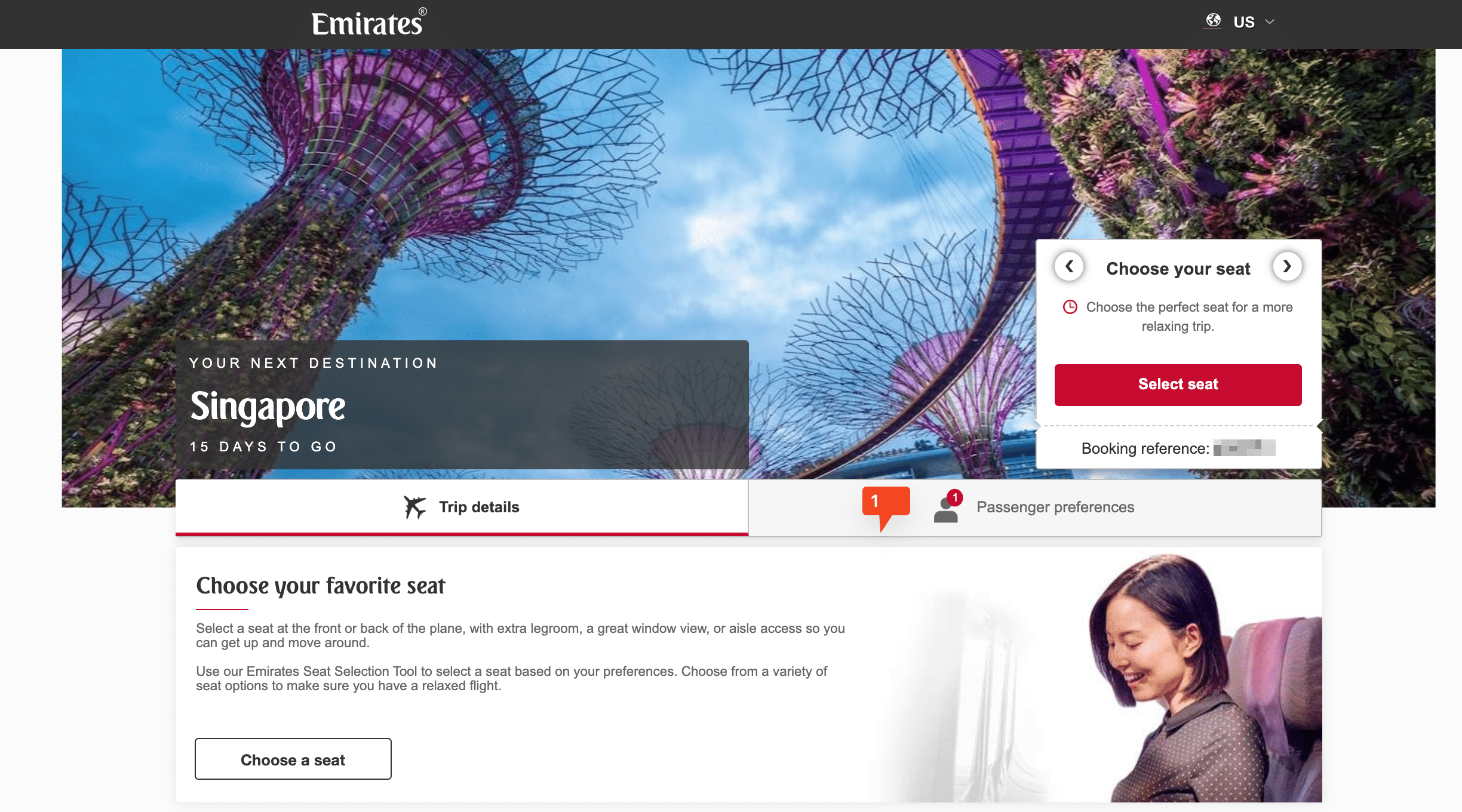
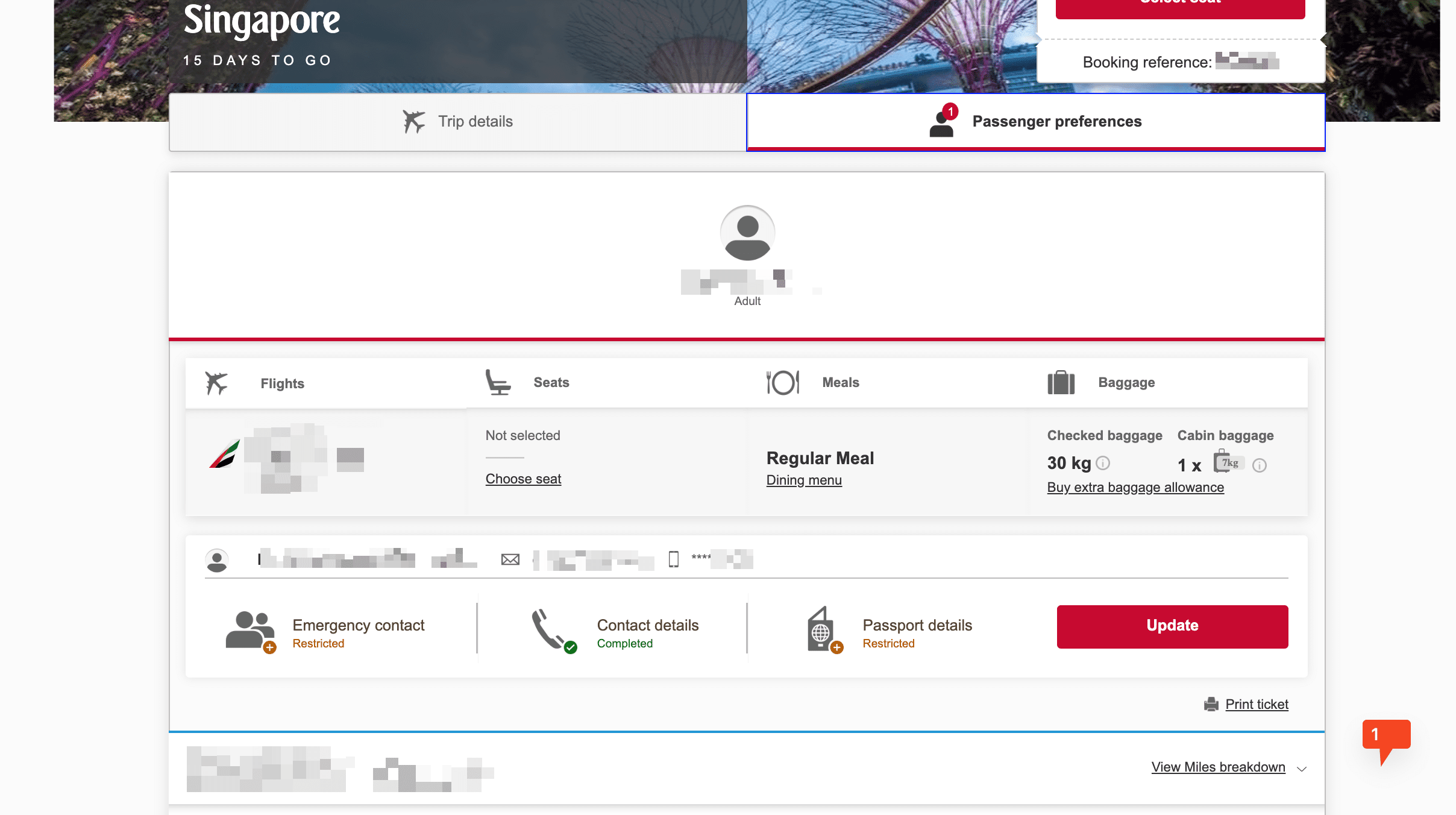
In your booking, scroll to the Passenger Preferences section and open Dietary Requirements to see the special meals available on your flight.
- 3
Navigate to Meal Selection
Once in your booking overview, look for the ‘Passenger Preferences’ section to view the special meals available.
- 4
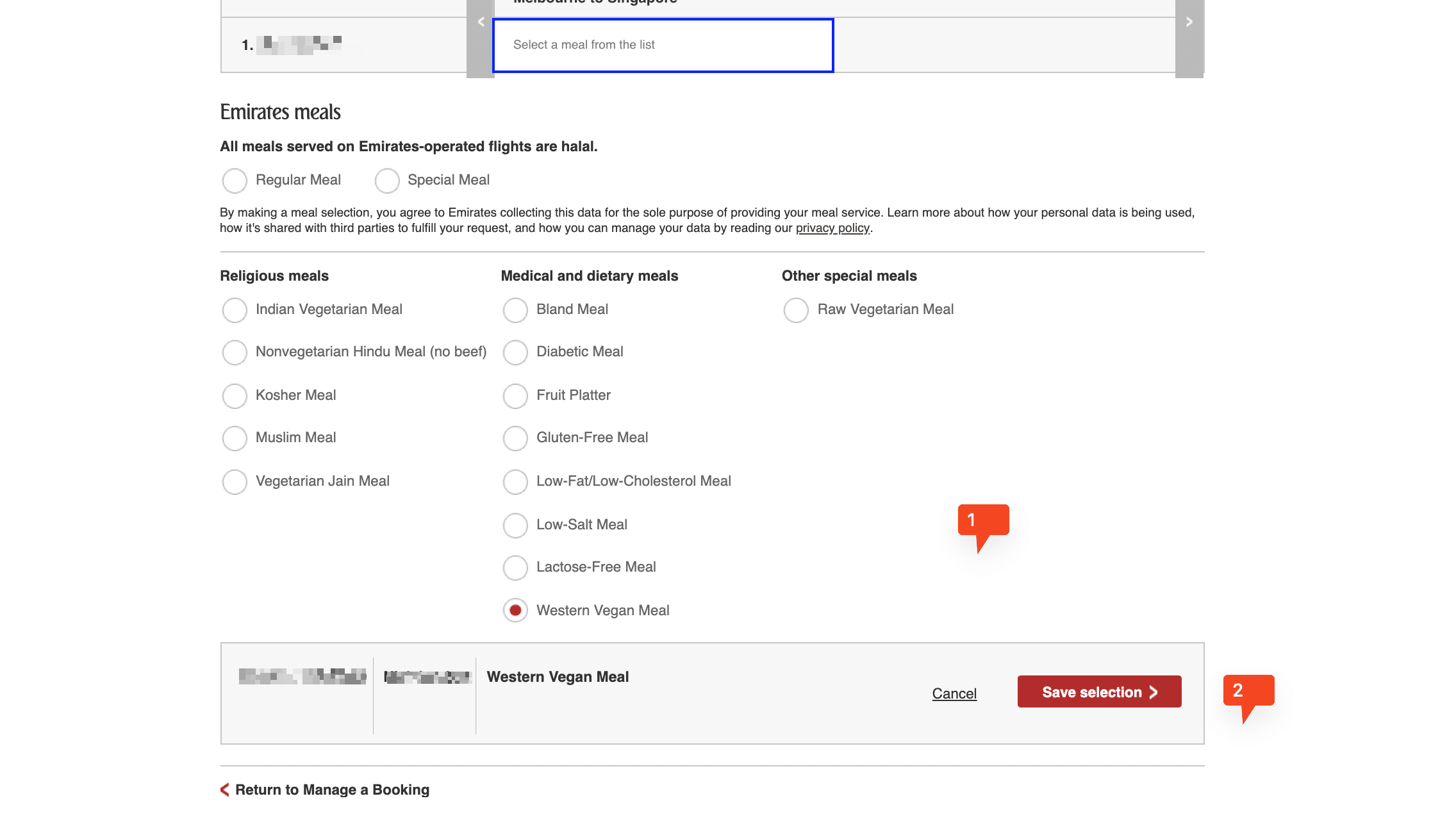
Choose Your Meal
Tap Change next to the passenger’s name, then pick a meal from the list. Repeat for anyone else on the booking who needs one.
- 5
Save & Check
Tap Save. You should see a confirmation, and the meal will show in your booking. If it doesn’t, go back and try again before the 24-hour deadline.
If Something Goes Wrong
If the meal you want isn’t on the list, your flight may be under two hours in Economy, where some meals aren’t offered. If you’ve missed the 24-hour deadline, contact Emirates and ask, although a meal can’t be guaranteed. To change your meal, repeat the steps above before the deadline. And if your meal doesn’t turn up on board, tell the cabin crew straight away.
FAQs
Can I order a special meal in the Emirates app?
Yes. Open Manage Your Booking in the app and follow the same steps.
Can I change my special meal after ordering?
Yes. Go back into Manage Your Booking and change it at least 24 hours before departure.
Do I need to order a special meal for my child on Emirates?
No. Child and baby meals are added automatically. Only order if your child needs a specific diet.