


There are three ways to sort your Air Canada meal before you fly. In Premium Economy and Business, you can pre-order your main course on select flights. In Economy on Bistro flights, you can buy a Bistro voucher in advance and save up to 35%. And in any cabin with a meal service, you can order a free special meal. Here are the deadlines for each, then the steps.
What You Can Order & When
| What | Who can order | When | Cost |
|---|---|---|---|
| Main course pre-order | Premium Economy and Business, on select flights from or within Canada, and returning from Europe and select Asia and Australia routes | 10 days to 36 hours before departure | Included |
| Air Canada Bistro voucher | Economy on Bistro flights of 2 hours or more within North America and to the Caribbean | When you book, or up to 24 hours before departure | CA$10.49 to $12.60 each, including tax |
| Special meal | All cabins on flights with a meal service, but not Economy Bistro flights | At least 24 hours before departure | Free |
Business And Premium Economy
If your flight is eligible, Air Canada emails you 10 days before departure inviting you to pre-order. From then until 36 hours before you fly, open your booking on aircanada.com or in the Air Canada app and choose your main course. You can change your choice any time within that window, and some dishes on international flights from Canada are only available by pre-order.
How To Buy Air Canada Bistro Voucher
Add a Bistro voucher when you book your flight, or later in Manage My Booking up to 24 hours before departure. Each voucher covers one meal, or one alcoholic drink and two treats, and saves up to 35% on buying the same on board. Vouchers can’t be bought on board, can’t be refunded once bought, and can only be used by the passenger named on the ticket.
How To Order A Special Meal
- 1
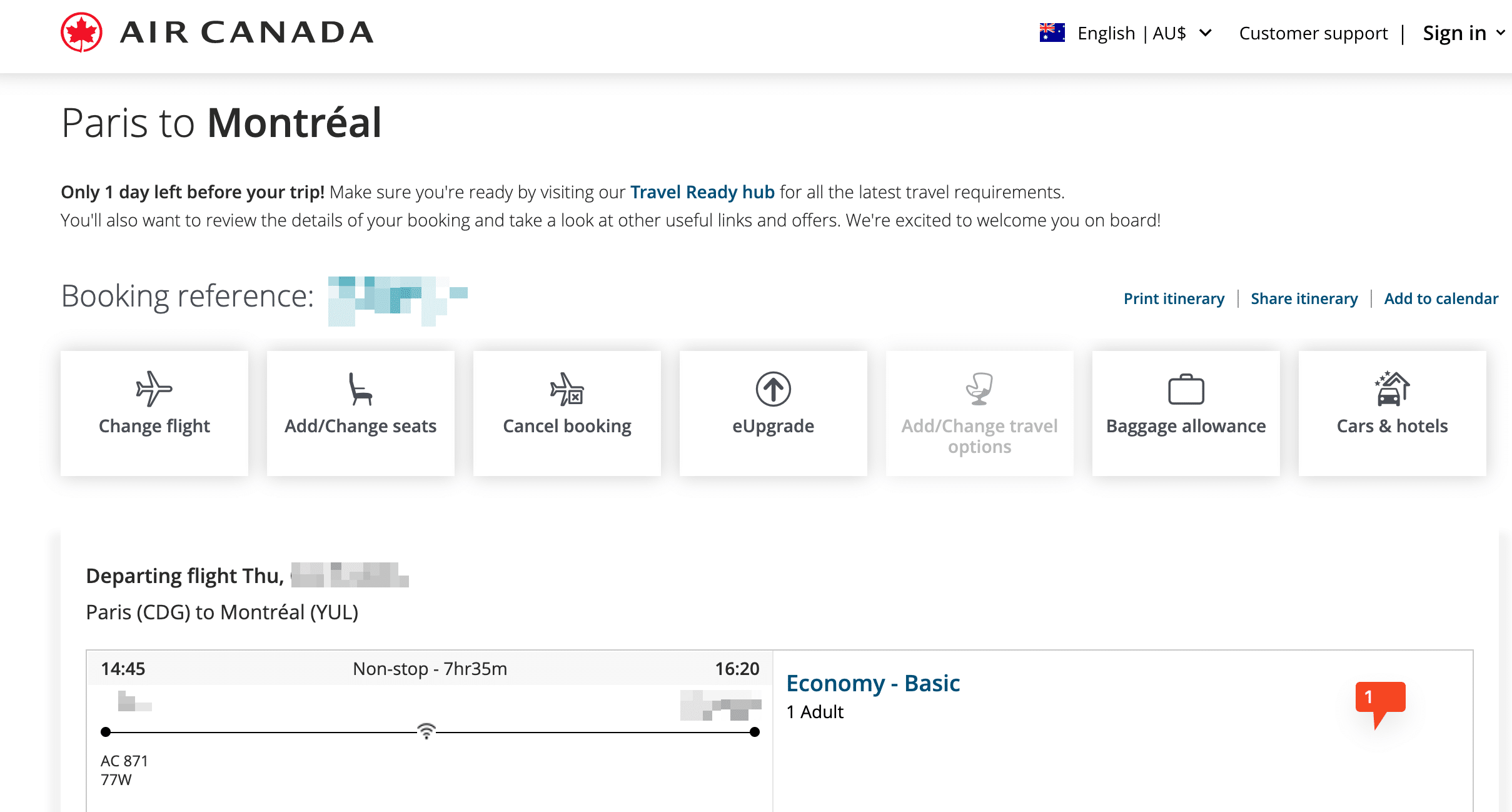
Access Manage My Booking
Visit aircanada.com and click “Manage My Booking”Enter your booking reference number or ticket number, along with your surname and tap on ‘Find’

- 2
Navigate to Passenger Details
Once your booking information is displayed, scroll down to find the passenger details section
- 3
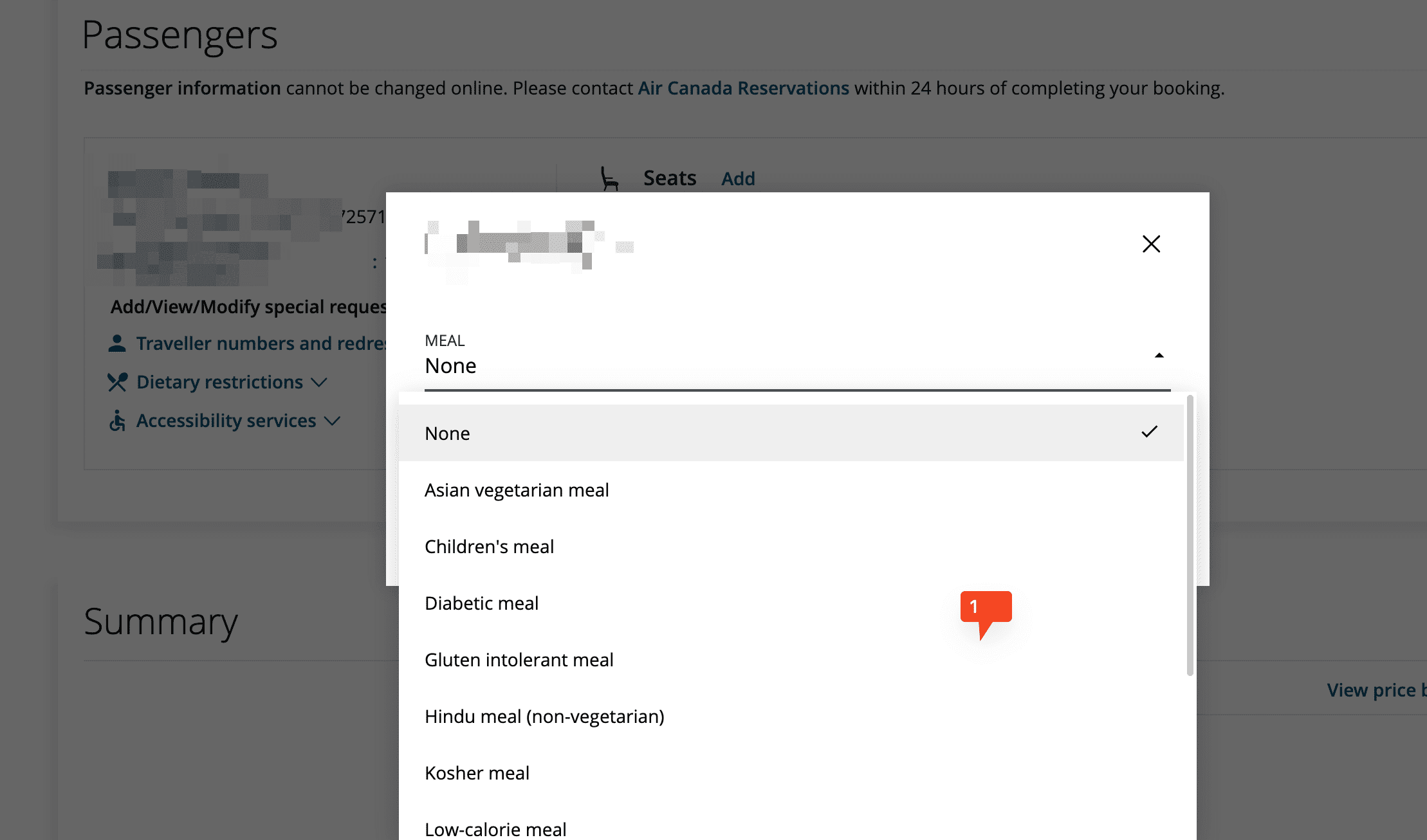
Select Dietary Restrictions
Click on the “Dietary Restrictions” or “MEAL” dropdown area
- 4
Choose and Confirm
From the provided list, select your desired special meal and click “Update” to confirm your selection.


Good To Know
Special meals aren’t available on Economy flights with the Bistro service. For codeshare flights or flights operated by other airlines, contact Air Canada Reservations, as online ordering may not be available. To change a special meal, go back into Manage My Booking before the 24-hour deadline. For the full list of meals, see our Air Canada special meals guide.
FAQs
How far in advance can I pre-order my meal on Air Canada?
In Premium Economy and Business, from 10 days up to 36 hours before departure on eligible flights. Air Canada emails you when the window opens.
Can I change my Air Canada pre-ordered meal?
Yes, any time within the pre-order window, through your booking on aircanada.com or the Air Canada app.
Can I buy an Air Canada Bistro voucher on board?
No. Bistro vouchers must be bought when you book or up to 24 hours before departure. On board, you can only pay by credit card.
How far in advance should I order a special meal on Air Canada?
At least 24 hours before departure, in Manage My Booking or through Air Canada Reservations.