


Know exactly how to order your special meal on Lufthansa flights – from online booking to alternative methods, with all requirements and troubleshooting tips.
Ordering Options
| Method | How to Access | Best For |
|---|---|---|
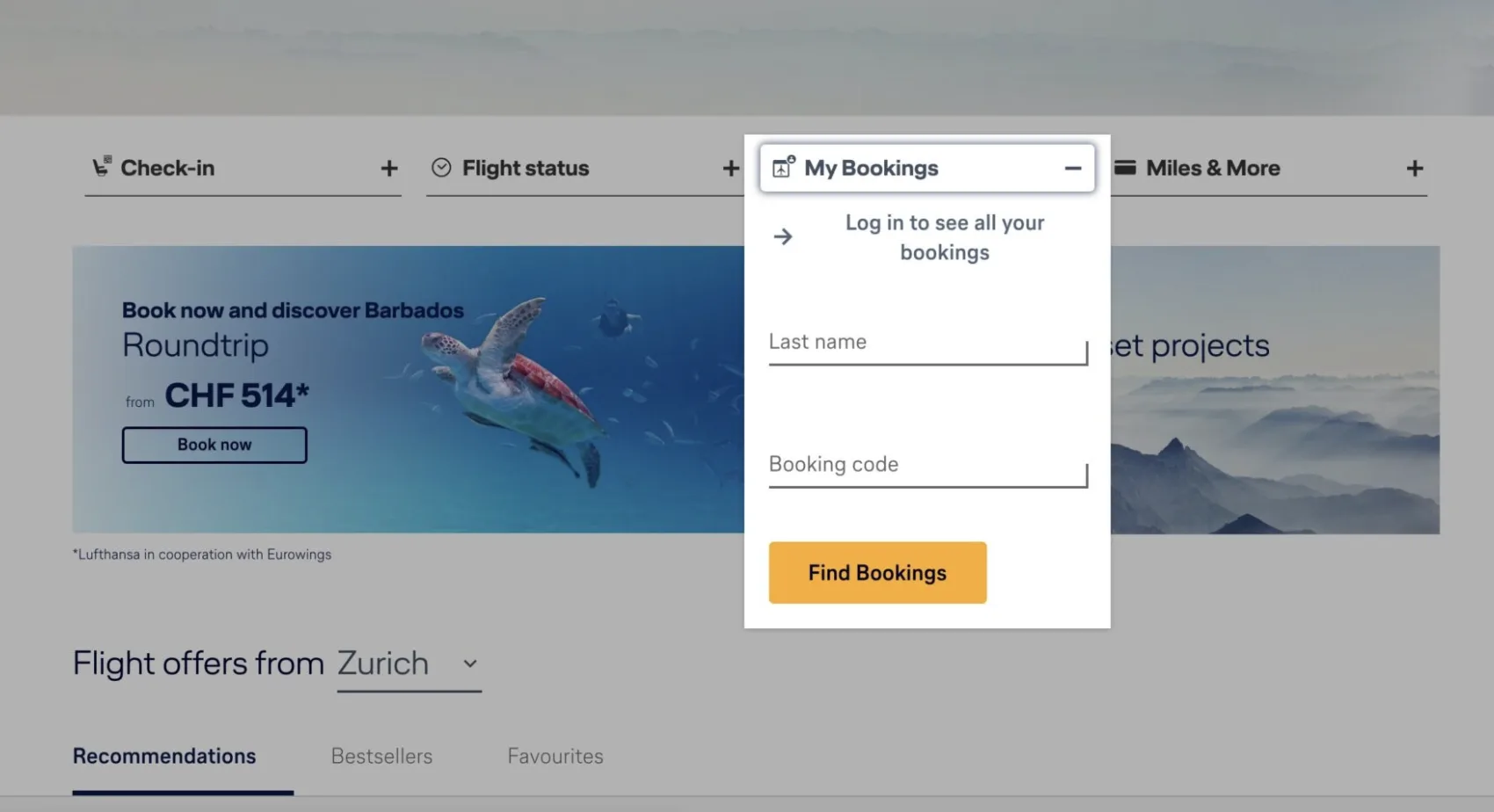
| Online (Recommended) | “My Bookings” at lufthansa.com | Quick, easy, instant confirmation |
| Travel Agency | Contact your travel agent | Complex bookings, assistance needed |
Requirements
| Requirement | Details |
|---|---|
| Booking Status | Must have confirmed booking in required class |
| Timing Deadline | 24 hours before departure |
| Flight Duration | Economy: 185+ minutes | Business: 60+ minutes |
| Cost | No additional charge |
How to Order Online
- 1
- 2
Navigate to Services
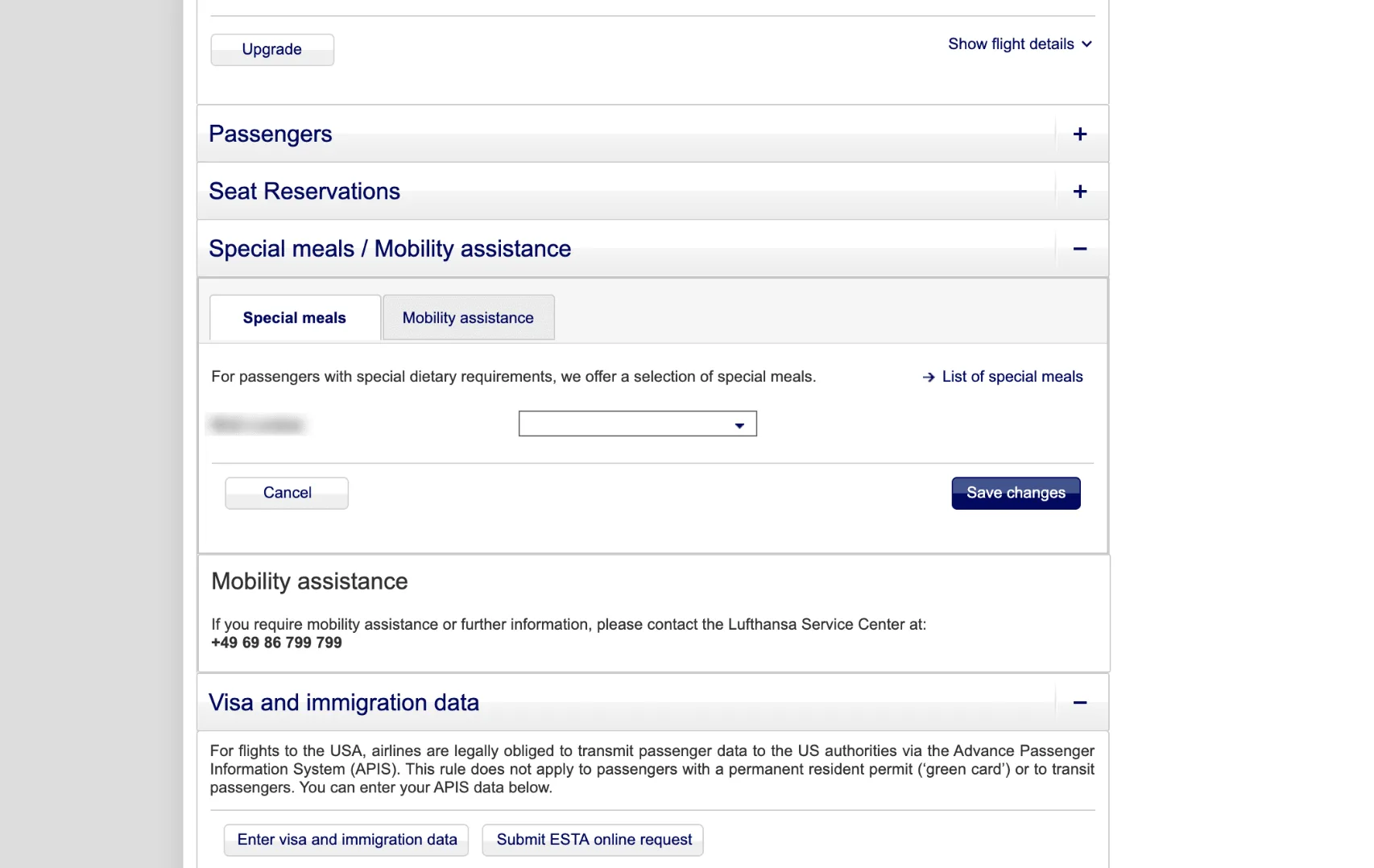
Find “Special Meals/Mobility Assistance” section
On booking details page, scroll down

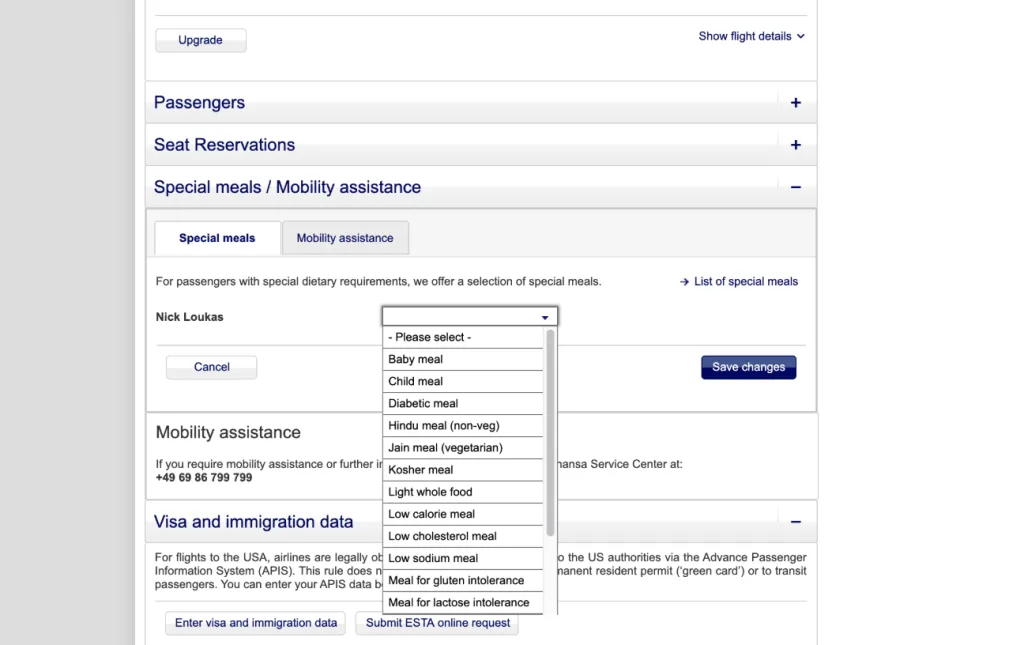
- 3
Select Your Meal
Click “Save Changes”
Click “Special Meals” tab
Use drop-down menu to select meal type
- 4
Confirm Your Order
Amber symbol = Request couldn’t be processed
Green tick = Successfully ordered
Important Reminders
Ordering Deadline
24 hours before departure – no exceptions
No Additional Cost
All special meals provided free of charge
Confirmation
Look for green tick to confirm successful ordering
Codeshare Flights
May need to contact operating airline directly if Lufthansa doesn’t operate your flight
Bottom Line
Online ordering through “My Bookings” is fastest and most reliable. Always check for the green tick confirmation, and contact the operating airline directly if you see an amber symbol on codeshare flights.